Do you already write in Markdown: Obsidian, Notion, iA Writer, VS Code, or a plain .md file? Typedeck turns that file into slides without taking the Markdown away from you.
Typedeck reads the Markdown, renders slides from the headings and content, and still lets you get the Markdown back out again.
If you found us through typedeck.io, this is the same Markdown-to-slides idea, rebuilt as a native Mac app.
A Markdown file opens in Typedeck, gets a theme, and exports as a PowerPoint deck.
Convert Markdown to slides in Typedeck
The basic path is short:
- Write or export a
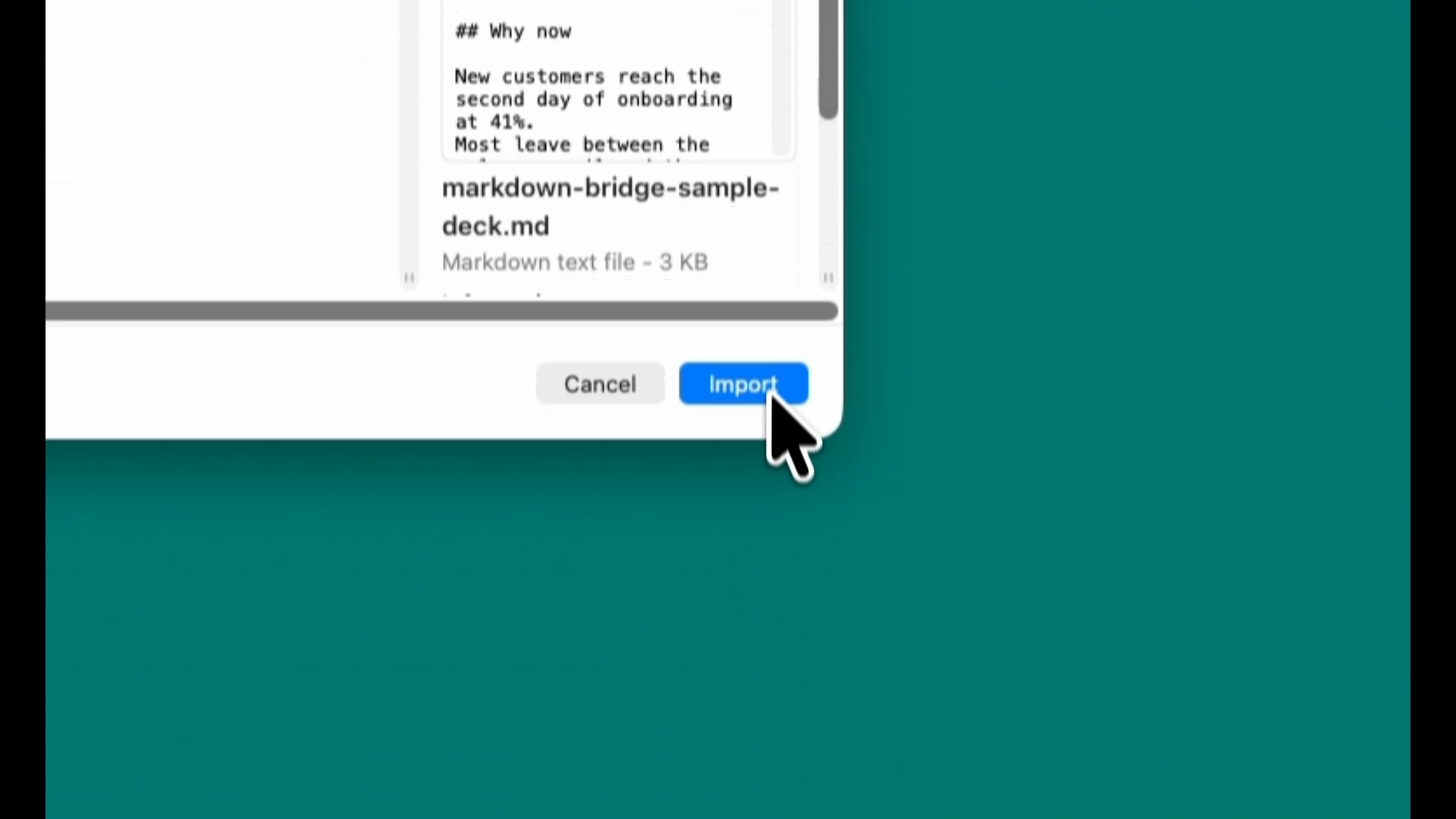
.mdfile from the tool you already use. - Choose File > Import Markdown in Typedeck.
- Review the rendered slides.
- Tune any slide that needs it.
- Export to PowerPoint, PDF, Markdown, Obsidian-friendly Markdown, HTML, images, Google Slides, and more.
Try Typedeck on the Mac App Store Free for 7 days. Then $29.99 once. No subscription.
Why Markdown works as source material
Markdown already carries presentation structure. A heading can start a slide. Bullets are bullets. A fenced Swift block is code, not decoration. A table is data. Typedeck uses those cues when it builds the deck.
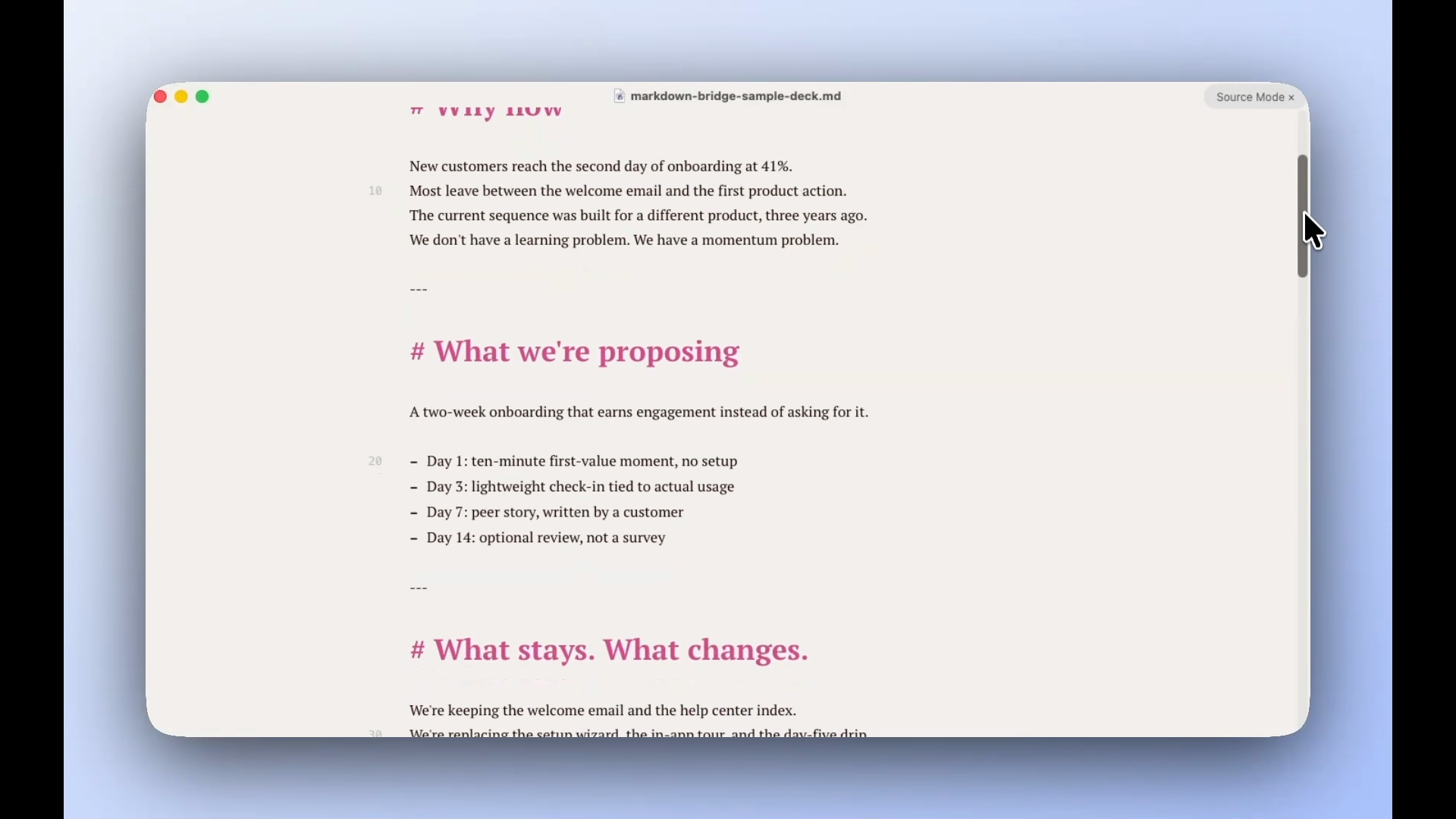
Here is the kind of source material Typedeck can start from:
# Customer onboarding, redesigned

A proposal for what we ship in Q3

---

## Why now

New customers reach the second day of onboarding at 41%.

Most leave between the welcome email and the first product action.
The current sequence was built for a different product, three years ago.
We don't have a learning problem. We have a momentum problem.

---

## What we're proposing

A two-week onboarding that earns engagement instead of asking for it.

- Day 1: ten-minute first-value moment, no setup
- Day 3: lightweight check-in tied to actual usage
- Day 7: peer story, written by a customer
- Day 14: optional review, not a survey
The file is still a plain-text outline. It just has enough structure for Typedeck to make useful first slides.
Supported Markdown syntax
Typedeck supports ordinary Markdown, plus a few presentation-specific conventions. The main one is simple: put --- on its own line between slides.
This is the basic shape:
# Slide title
## Optional subtitle

- First point
- Second point
- Third point

<!-- NOTES:
What you want to remember while presenting.
-->

---

# Code example

```swift
let message = "Hello from Markdown"
print(message)
```

---

# Results

| Metric | Value |
| --- | --- |
| Activation | 41% |
| Churn risk | High |
Typedeck reads the Markdown pieces most presentation outlines use:
#headings become slide titles##headings near the top become subtitles- Paragraphs, bullets, and numbered lists become text
**bold**,*italic*, links, and inlinecodestay as inline formatting- Tables render as table slides
- Fenced code blocks keep their language for syntax highlighting
- Images use standard Markdown image syntax:
 - Block quotes use
>and can become quote slides - Speaker notes use
<!-- NOTES: ... --> ---splits the file into slides
Typedeck also supports Mermaid diagrams and simple charts with fenced blocks that use mermaid or chart type=bar as the language tag. You can ignore those until you need them.
You usually do not have to clean the file first. If the Markdown exports cleanly from Obsidian, Notion, or a standard .md editor, Typedeck can read it.
The deck stays Markdown
Typedeck does not lock the text away after import. A .typedeck document is a package with deck.md inside. You can export Markdown again anytime.
What Typedeck adds is the slide work:
- Automatic spacing, sizing, and layout based on the slide content
- Layouts for titles, quotes, code, tables, charts, images, and split slides
- Themes that change the look without rewriting the source
- A structured editor for slide cards, notes, and order
- Export to PowerPoint, PDF, Markdown, and other formats
The Markdown remains portable. Typedeck supplies the layout, theme, and export work around it.
Use Obsidian, Notion, or any Markdown editor
You do not need another Markdown editor.
Write wherever you write. Obsidian notes are Markdown files. Notion exports Markdown. Typora, iA Writer, Bear, VS Code, or a folder of .md files can all be sources.
Typedeck starts when the outline should become slides.
Refine the deck visually
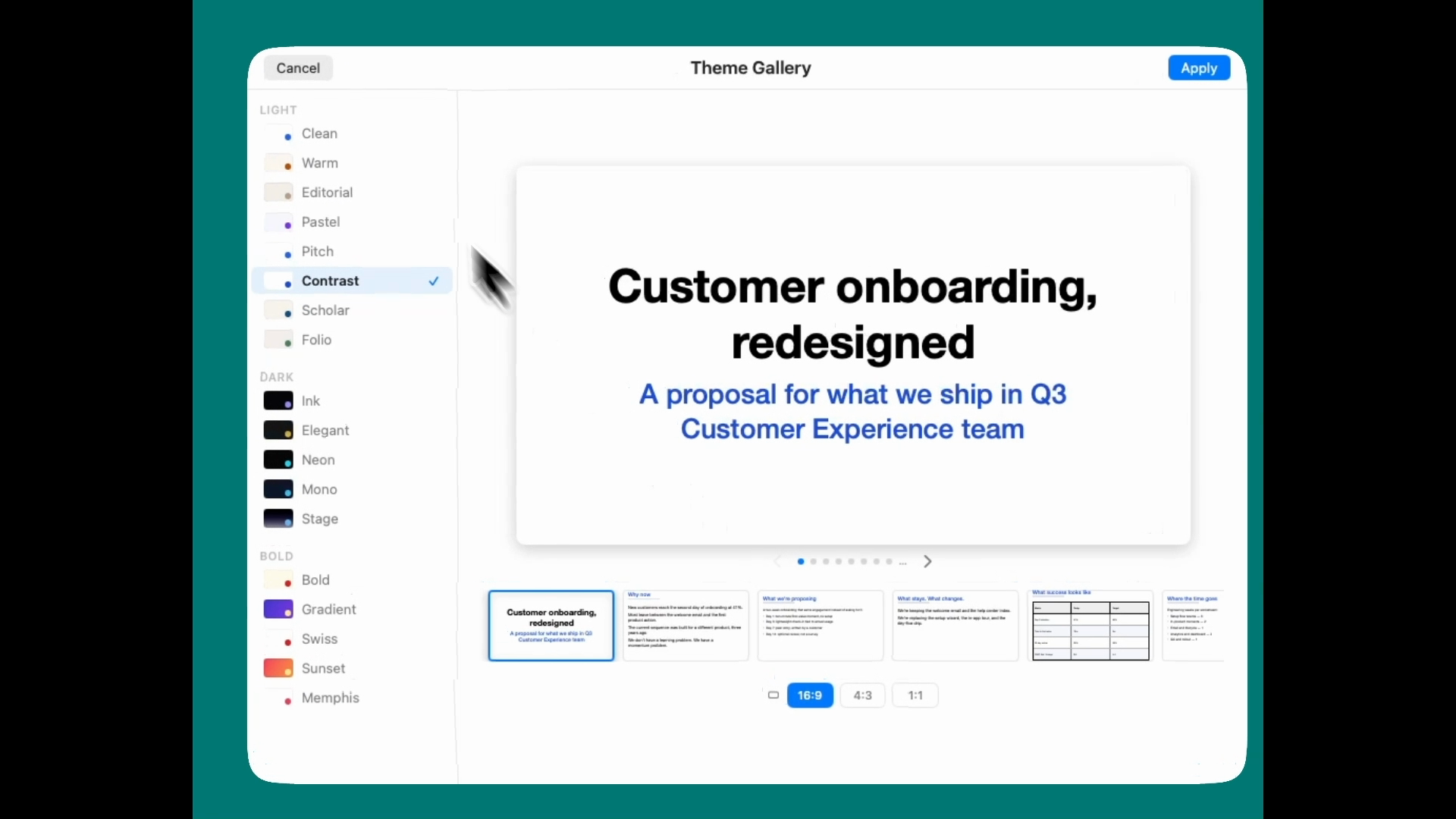
After import, Typedeck gives each slide a visible form. You still edit structured cards, and the preview shows the actual slide: title, bullets, code, table, image, chart, or notes.
Apply a theme, move slides, and tighten dense content. Keep the source readable; let the app handle the slide formatting.
For a broader look at that workflow, see how structured content becomes finished slides in Typedeck.
Export back out
Import is not the end of the file.
Typedeck exports PowerPoint, PDF, Markdown, Obsidian-friendly Markdown, HTML, images, Google Slides, and speaker notes.
That matters when a teammate needs a .pptx, your notes need to go back to Obsidian, or the deck has to be archived as plain text.
Markdown to PowerPoint, without rebuilding the deck
Many people searching for Markdown to slides really need Markdown to PowerPoint.
The Typedeck path is direct: import the .md file, review the slides, apply a theme, and export a .pptx. You do not rebuild the deck by hand.

A quick transcript of the demo
Video transcript
If you're a Markdown user, Typedeck is a great way to make slides.
When it's time to present, Typedeck reads the Markdown, and it makes everything look good automatically.
When you're done, you can export to PDF, PowerPoint, and even back to Markdown again if you need the source. So nothing gets locked in.
That's Typedeck.
Try it with your next outline
Take a Markdown outline you already have. Import it. See whether the first deck is close enough to keep working.
If it is, Typedeck can carry the presentation from .md file to themed slides to PowerPoint without making you give up Markdown.
Get Typedeck and import your first Markdown file Free for 7 days. Then $29.99 once. No subscription.